After SEO spam is found in WordPress, several lists tend to appear: one from hosting, another from Google and a sheet of URLs someone has collected. Unless they connect, legitimate content can be removed or a page declared recovered merely because it disappeared from one screenshot.
A useful report turns those lists into traceable decisions. It connects each URL to evidence, an approved action, an owner and a later check. This guide provides an original structure and a completed fictional example. Use it to commission cleanup or review a supplier’s handover.
For the initial symptom, the guide to spam Google shows without visible WordPress entries develops the diagnosis. The procedure for cleaning SEO spam without deleting legitimate content explains technical precautions. Here we organise the report that coordinates and accepts that work.
Start with a summary someone can act on
Open with the domain, Search Console property, date, timezone, responsible people and reported symptom. Summarise what is confirmed, what remains unknown and which decision the owner needs to make. A screenshot of a Japanese search result does not establish how many pages are affected.
Identify the scope examined: public installation, languages, other applications or hosting account. If access covers only the main WordPress installation, keep that limit visible. Do not turn “not inspected” into “no issue” while preparing the executive summary.
Give the report an identifier and version. Each update should explain what changed since the previous one. Development, content and SEO can then collaborate without working from three different files called “final”.
Separate discovered, reviewed and confirmed URLs
Record where each candidate came from: a Search Console export, server log, sitemap, hosting alert or manual review. A source helps discovery. It does not automatically turn the item into a deletion instruction.
Preserve exact URLs and identify related variants. Do not strip parameters, change letter case or group paths simply because they look alike. First establish whether they represent the same content and which mechanism serves them. Premature normalisation can hide the condition that needs investigation.
When candidates are too numerous for individual review, document the groups, selection rule and inspected sample. State how many items were actually observed and which have a provisional classification inherited from a group. A row count is not a count of demonstrated infections.
The minimum record for each URL
Use these fields as a starting point. This is an original editorial template, not an official Google export or a scanner.
Row reference:
Exact URL and discovery source:
Observation date/time and timezone:
Request method, HTTP status and first redirect:
Observed content and restricted evidence reference:
Language, relationships and affected legitimate content:
Classification: confirmed / legitimate / pending
Proposed action and reason:
Approval, owner and date:
Technical result and later verification:
Search status and date of that source:
Next review and specific outstanding item:
Evidence can remain in a restricted repository, referenced from the row. Avoid pasting suspect payloads, credentials or customer details into the document shared across teams. The report should be usable without becoming a public storage area for the incident.
Original example of an inventory and its decisions
The following four rows are fictional and belong to the reserved domain example.invalid. They are not Search Console results, customer URLs or executed requests. The statuses were chosen to illustrate different decisions.
| Row and path | Fictional observation | Proposed decision | Owner | Closure criterion |
|---|---|---|---|---|
SP-01/catalogo/spam-a/ |
200 with confirmed unrelated content | Remove the generator and retire the path without a legitimate replacement | Technician and owner | Expected response verified; persistence reviewed |
SP-02/es/productos/equipo-a/ |
200; legitimate product with altered title | Restore content and retain the valid URL | Content owner and technician | Correct title, page and languages |
SP-03/ofertas/pendiente-b/ |
403; content not inspected | Investigate the block before classifying | Hosting and technician | Response explained and classification recorded |
SP-04/spam-antiguo-c/ |
Current 404; earlier search result retained | Record technical removal and follow Google’s data | SEO | Stable response and documented index follow-up |
SP-01 and SP-02 show why a word or prefix is insufficient grounds for bulk deletion. One path is unrelated; another belongs to the business and needs repair. SP-03 leaves uncertainty visible. SP-04 separates a current state from historical search information.
Prioritise by exposure and business impact
Add an explicit priority and its reason. An active response sending visitors elsewhere, a legitimate commercial page whose content changed and an old removed URL awaiting another search observation are different situations. The count of URLs alone cannot decide which team should act first.
Ask the technical owner to identify current exposure and any containment needed, while the content owner identifies essential pages and transactions. An unknown group needs investigation, not automatic deletion. Retain the approver and the criteria used so another team can understand why a smaller group was addressed before a larger one.
Separate urgent intervention from work that can wait for a documented review. For every deferred item, state the unresolved condition, owner and next check. “Low priority” should not become an unowned row that remains in the sheet indefinitely.
What if hosting and Google appear to disagree?
Compare the object and observation time. Hosting may describe a file scan, while the saved search information describes a previously crawled URL. Put both sources on the same row, keeping their dates. Ask what each source establishes and which further observation would resolve the difference. Neither a warning nor a clean scan should erase the other evidence from the report.
Should resolved rows be deleted?
Keep them in a closed section or a retained version, with their evidence references and closure dates. This preserves the distinction between new candidates and known historical items. If a path appears again, the previous decision and response are available for comparison. Remove unnecessary sensitive material according to the agreed retention process, without losing the useful decision history.
Connect cleanup to the mechanism generating the spam
The URL inventory describes the visible result. Add a section connecting confirmed groups to the components, records or rules serving them. If that relationship is a hypothesis, label it and explain which evidence is missing.
Record approved changes, the recovery copy and later checks. Where several rows depend on the same generator, link them to one shared change rather than repeating a different story in every row. Preserve the legitimate exceptions that have been protected.
If new URLs appear afterwards, record time, pattern and relationship to the earlier incident. Do not close the review because the number of processed items matches the first list. New material deserves a technical decision, not a cosmetic adjustment to the counter.
Protect commercial pages, products and languages
Include a short list of legitimate controls: homepage, principal services, representative products, categories, forms and relevant translations. Identify the content owner who can confirm these are still the correct records.
For each affected item, distinguish restoring content, correcting metadata, removing an unrelated record and repairing a route. Preserve language relationships and navigation. A page can load while losing its translated equivalent, associated product or an important link.
Request approval against the agreed URLs and functions, with results retained. “The website loads” says little about preserved content. Acceptance should show what was protected and how it was checked.
Keep the current response separate from Google’s information
In the technical column, record the request, collection time and observed response. In the search column, keep the source date and displayed state. Google’s URL Inspection documentation distinguishes indexed information from a live test.
A 404 collected today can coexist with an earlier saved search result. Do not continually change the route to make the screenshots agree. Document the next check and retain the sequence. A single test does not establish that the rest of the website is clean.
If visitor variants were used, state which were simulated headers, what was actually tested in a browser and what remained unexecuted. The reader should understand the scope without confusing a synthetic condition with a verified Google crawler.
Document removals and sitemaps as separate actions
Google’s Removals tool temporarily blocks search results. In the report, separate that request from server cleanup and record the URL or prefix submitted, reason, approval and status. Check the scope before submitting a broad prefix.
Record sitemap and internal-link review as another item. Google’s sitemap guidance explains their discovery role. Submitting a file is not proof of indexing or recovered rankings.
If a decision uses noindex, explain how the crawler can encounter it. Google notes that a crawl block can prevent the instruction being read. Ask the technician to justify the configuration for each group. Avoid general restrictions without reviewing their effect on valid content.
Separate security issues, submitted actions and follow-up
Reserve a section for warnings and review requests: originating report, examples, related corrections, submission date and the person responsible for responding. Do not merge a pending request with a decision already received.
The guide to Search Console security issues remaining after cleanup covers that journey. The shared report should retain the case reference so SEO and development do not submit incompatible explanations for the same change.
A visual reference for moving from summary to record
Tanzeel Ul Islam Badar’s Nodus audit view brings together a summary, period, search and rows. We use it as a visual organisation reference. We have not tested its filters or security outcomes.
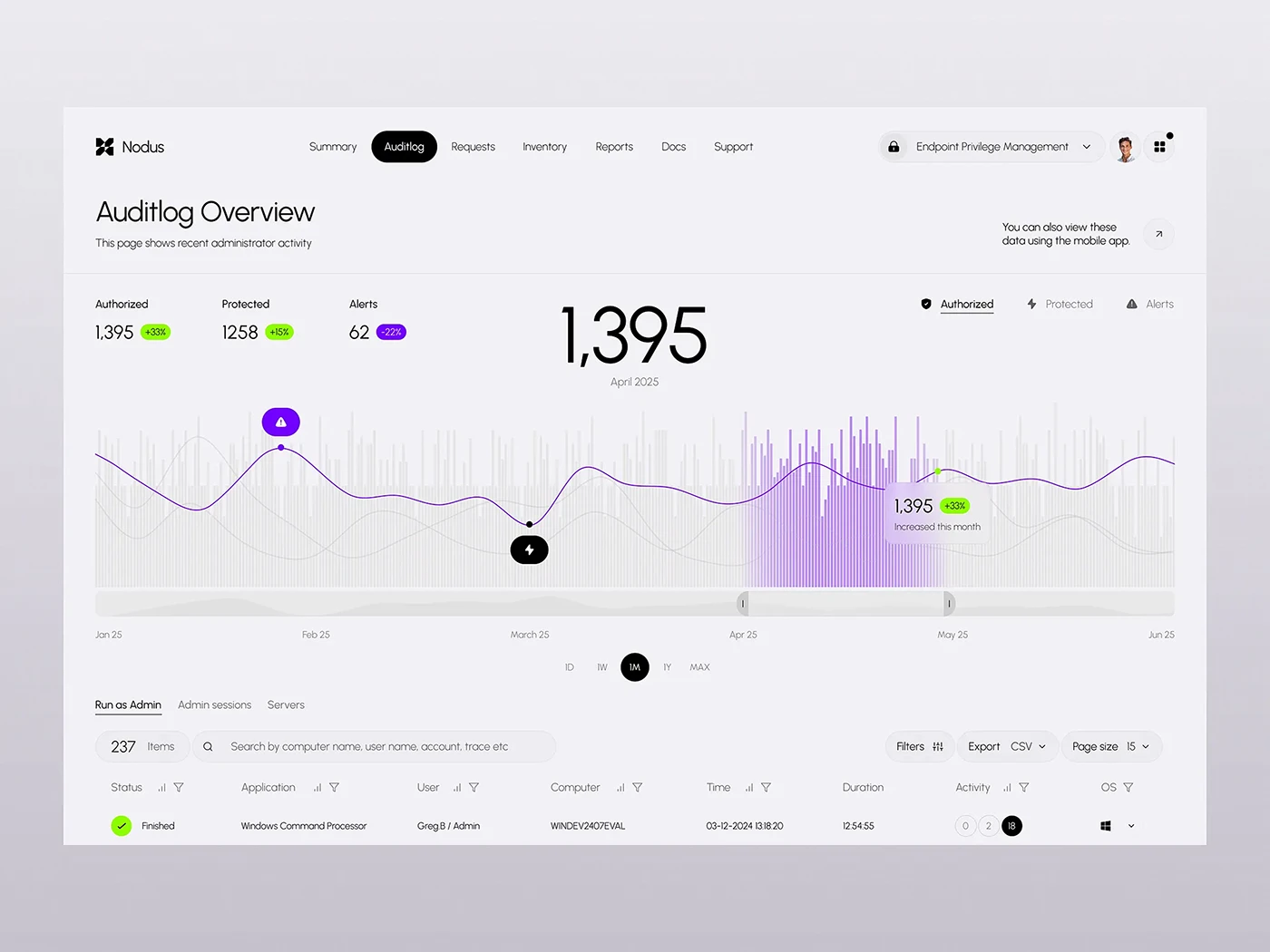
Apply that idea to the report: every summary figure should lead to the rows explaining it, with period and selection rule visible. If a total changes, readers should be able to tell whether new candidates arrived, duplicates were removed or a classification changed. Colour helps reading; traceability supports decisions.
Accept the report and continue measuring
Check that approved actions have a result, evidence and owner. Pending rows should explain the reason and next step. Keep technical acceptance separate from search follow-up: your own change can be verified while a third party still processes its information.
For traffic measurement, use comparable periods and the same GSC property and search type. Retain the change date and data coverage. One day of clicks does not establish recovery; a reduction in spam URLs does not measure the business returning to valid pages either.
Agree who reviews open rows, content changes and new warnings. Set the next review around specific outstanding items. The report should remain a working tool after delivery, rather than a handsome picture nobody opens again.
Observed laboratory: removing one URL did not complete the cleanup
On 25 October 2026 we ran this exercise on an isolated installation of WordPress 7.1.3, PHP 8.3.36 and MariaDB 11.4.12. The changes were harmless and deliberate: a foreign demonstration post, an altered legitimate title and conditional content served by an extension. No real infection, exploited vulnerability or customer data was involved.
We retained the original titles and bodies of two legitimate posts, their identifiers and SHA-256 fingerprints. We then introduced the three changes and connected each observation to the record or file generating it. That relationship supports the decision to remove or restore something. A URL list on its own gets only halfway through the conversation.
The condition was part of the evidence
We requested the same service page ordinarily and with the invented header X-Lab-Condition: example-variant. Only the second response included the demonstration addition and its link to a reserved .invalid domain. This synthetic condition represents neither a mobile device, administrator session, CDN nor Googlebot. It illustrates why reproduction conditions belong beside the URL in the inventory.
We first performed a deliberately incomplete cleanup
We moved only the foreign post to trash. Its address changed from 200 to 404, as expected. The service title remained altered, however, and the conditional response retained the addition. The URL had disappeared while two changes were still quite comfortably at work. Both items remained open in the record.
We then restored the legitimate title from the retained version and removed only the known demonstration file identified by its fingerprint. We repeated four requests: ordinary service, conditional service, legitimate control and removed post. The service kept its body, regained its original title and no longer included the addition under either condition. The control remained available and the removed address continued returning 404.
| Item | Before | Partial removal | Complete correction within the exercise |
|---|---|---|---|
| Foreign post | 200; marker visible | 404 | 404 |
| Legitimate title | Altered | Still altered | Original restored |
| Conditional addition | Visible with the condition | Still present | Absent under both conditions |
| Control post | 200; original content | 200; preserved | 200; title and body preserved |
What the record establishes
The retained series contains twelve GET requests in three groups of four. Closure also includes two actual visits in Chromium 152.0.7977.82, with and without the condition: the restored service was visible and the addition did not appear. Final title-and-body fingerprints for both legitimate posts matched their originals. The demonstration file was absent.
Afterwards we removed the three containers, their private network and the credentials generated for the exercise. Download the laboratory record: CSV, inventory and JSON evidence. The package contains fictional data and executed observations, with no executable code or credentials. Timestamps identify observations and are not presented as a commercial repair duration.
The case verifies removal of known changes in that environment. It does not investigate a real entry vector, unknown persistence, an entire hosting account or Google’s state. No scanner was run to declare the website “clean”. The WordPress compromised-site guide develops incident documentation and retaining backups before intervention. In your report, ask for every conclusion to point to its evidence, with outstanding work kept visible.
What to ask the specialist to deliver
Request scope covering a justified inventory, legitimate-content protection, a change record, verification and handover. To compare proposals, use the WordPress malware removal services guide for 2027 to agree deliverables and boundaries before commissioning work.
To request a WordPress SEO spam assessment, send a few exact URLs, the source of the warnings, dates and known scope. Malware Cleanup can review that context and propose the next step. A good inventory reduces uncertainty by preserving what remains unknown alongside what has already been resolved.